Claude Science (beta)
Your research partner for rigorous science
The Claude Science app runs analyses, searches databases, and traces every step from data wrangling to publication, so you can spend time on science.
View proteins, structures, and molecules natively, with every result reproducible and traced to its code.
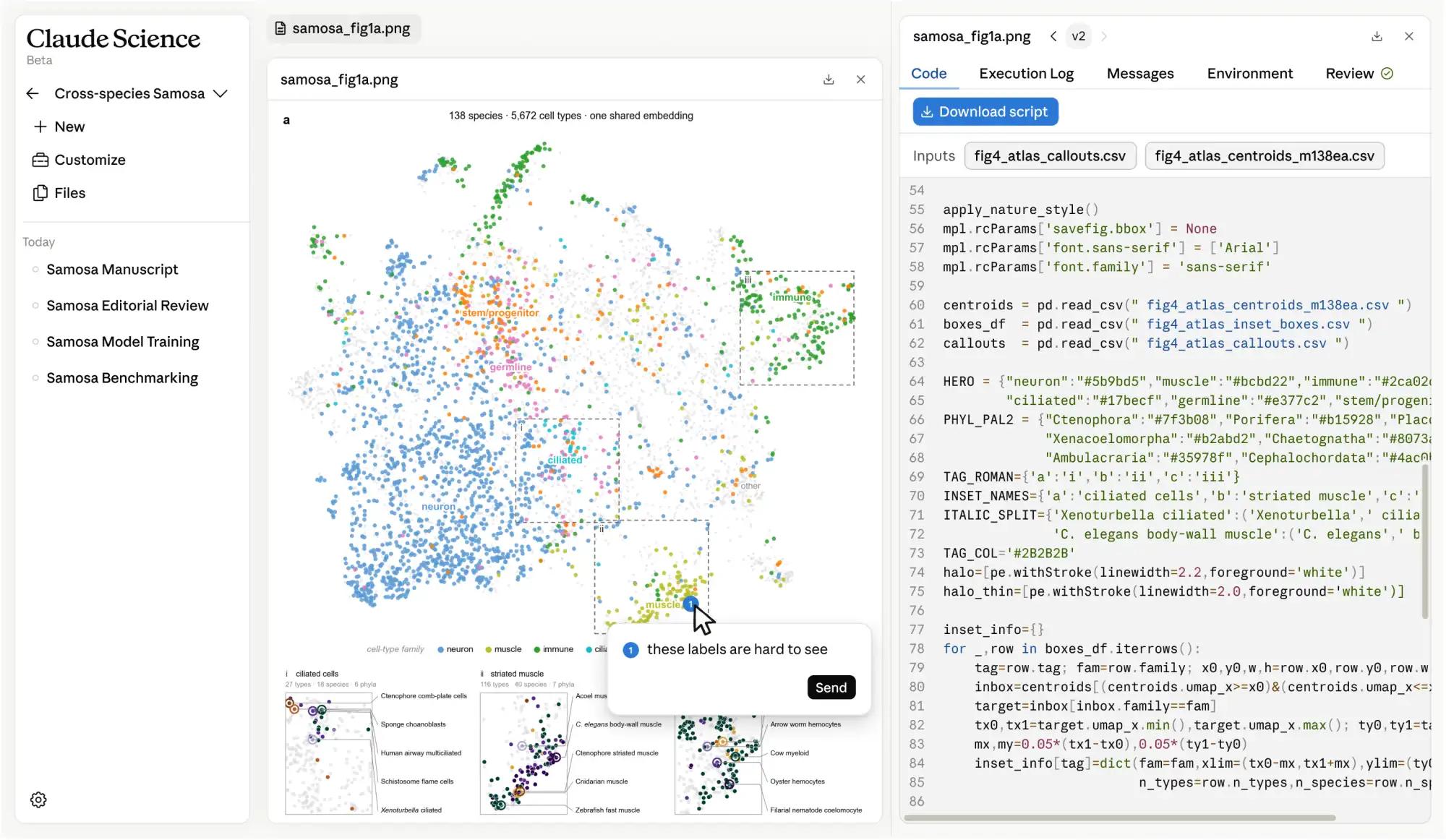 Interactive demo — open this page on a larger screen to try it
Figures, tables, and notebooks include the exact code, environment, and conversation that produced them, so they can be reproduced, edited, or defended months later.
Inspect proteins, alignments, genomic tracks, chemical structures, and PDFs in their native form, with no extra installation required.
A background reviewer flags incorrect citations, untraceable numbers, and figures that don’t match their underlying code.
Annotate a figure to request edits or ask a question. The agent reads the code that produced it and edits directly.
Write up results alongside the analysis that produced them, with rendered Markdown and LaTeX previews.
Builds environments and manages compute on your laptop, your cluster, or GPUs.
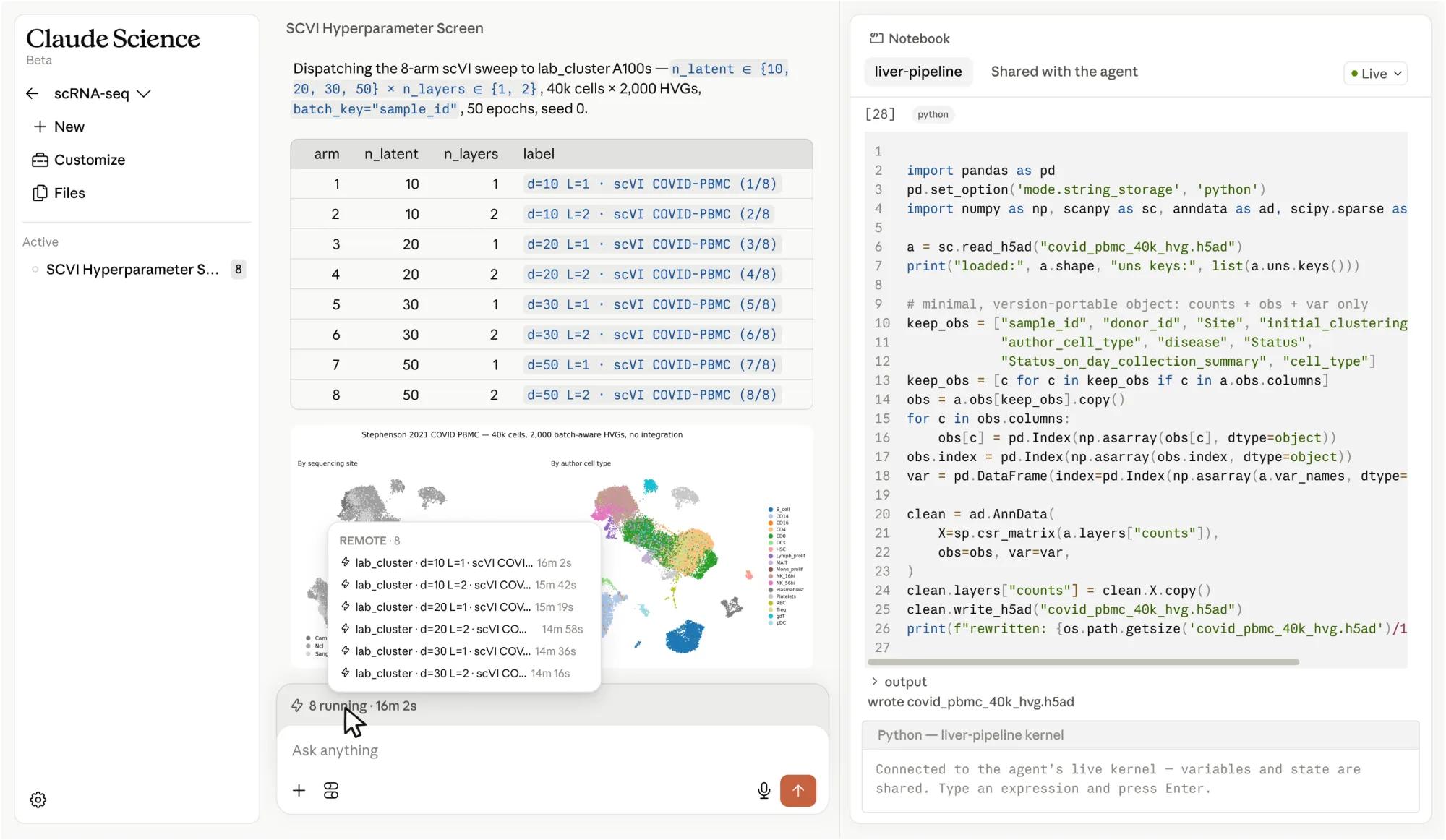 Interactive demo — open this page on a larger screen to try it
Claude manages the environments each analysis needs, whether on your laptop, a Linux box, or an HPC login node.
Writes batch scripts, then submits and manages jobs over SSH on your own machine or HPC cluster, or through your Modal account.
Variables, dataframes, and loaded models stay in memory across the whole analysis, so iteration is fast.
Connects to databases and tools your lab needs, so you can start work in your field right away.
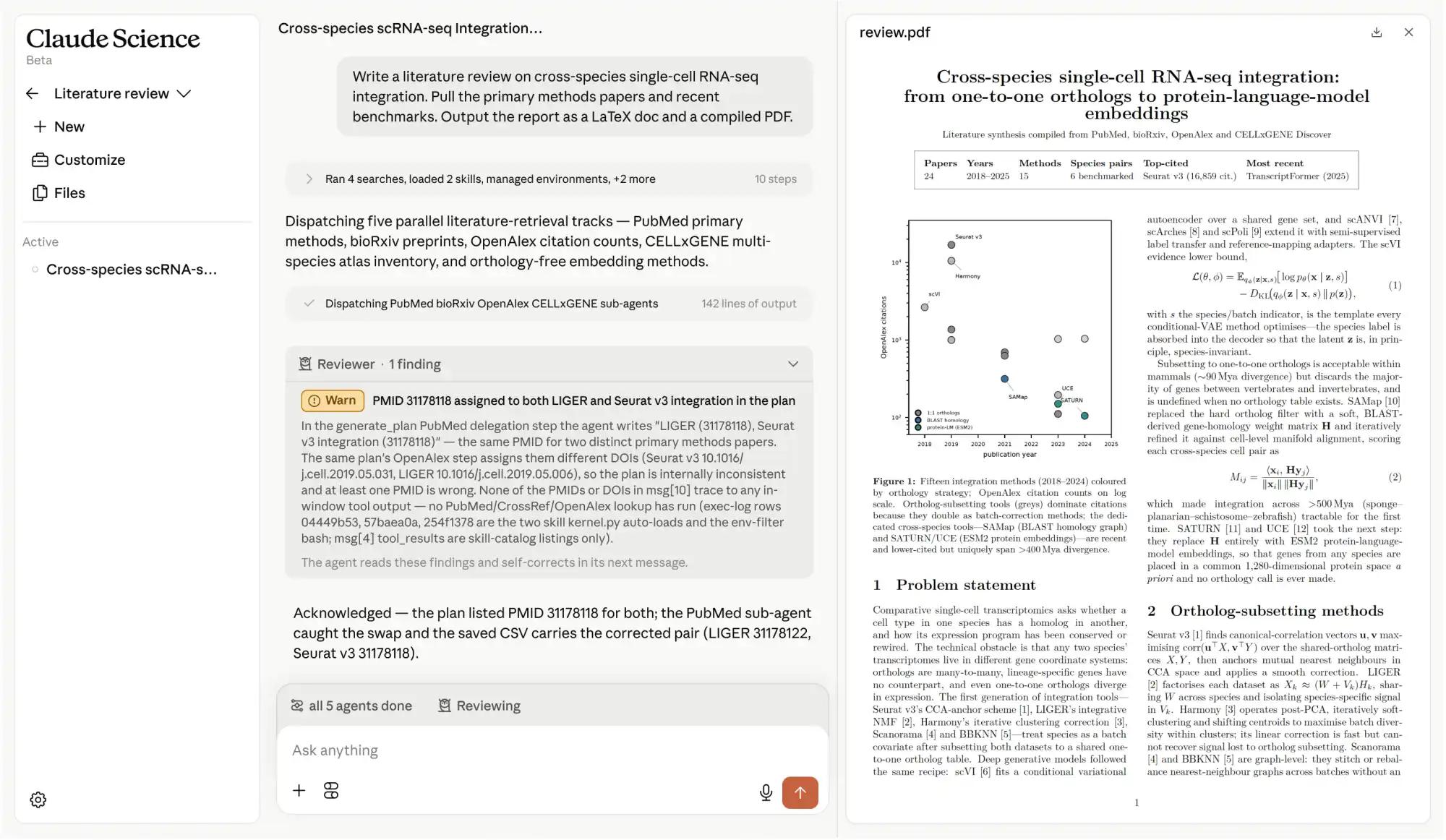 Interactive demo — open this page on a larger screen to try it
Genomics, single-cell, proteomics, structural biology, cheminformatics, and more. Reads literature and can query 60+ scientific databases, so you pull what you need without learning each one.
Save any pipeline as a reusable skill, or connect to your lab’s preferred tool with a connector, and every future session inherits it automatically.
Includes fully sourced indication dossiers available today, and a growing set of skills that build the case behind every program.
The app is pre-configured for every major domain in life sciences. When a project spans disciplines, it can help solve hard problems.
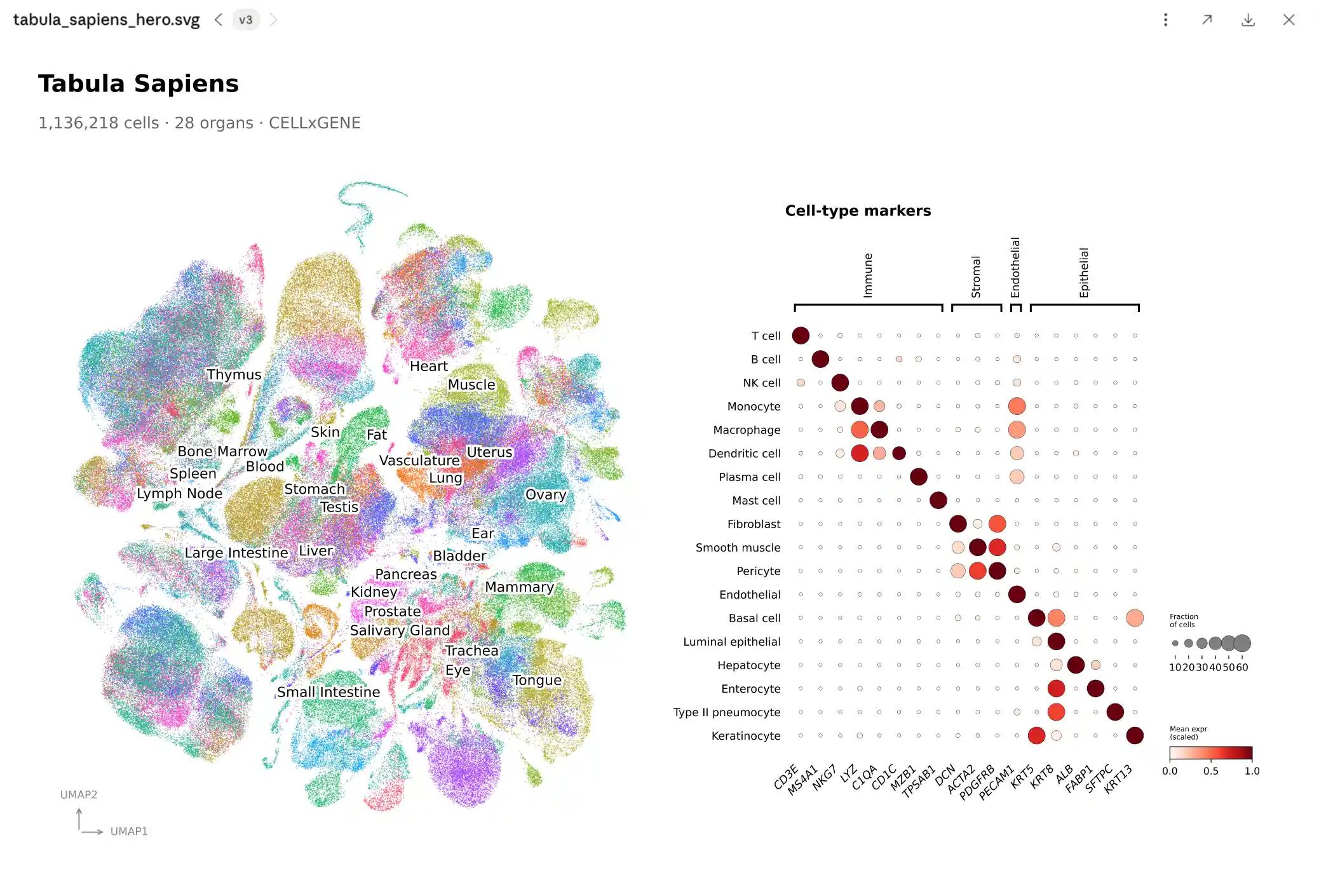 Interactive demo — open this page on a larger screen to try it
Single-cell RNA-seq analysis
Cluster and annotate millions of cells across tissues, surface marker genes, and trace every figure back to the code that made it.
Phylogenetic and evolutionary analysis
Align orthologs, infer maximum-likelihood trees, and map functional residues onto the phylogeny in a single reproducible session.
Protein structure and language model work
Pull predicted structures, layer on domains and clinical variants, and explore the model interactively in 3D.
Cheminformatics and molecular design
Search bioactivity data, compute properties and similarities, and draw or refine structures in a live 2D sketcher.

“With Claude Science I can go from raw data to a publication-quality figure in a single session — running the analysis, generating exploratory plots, and refining them all within a single project. The code and the conversation behind each figure are welded to it, making every version fully reproducible so I can iterate, revert, and fork as much as needed.”

“Claude Science is enabling analyses that simply wouldn’t have been feasible for me as a non-computational biologist. Honestly, it’s really transformative. Its ability to run these analyses, fluidly navigate the existing websites, and consider the science carefully is quite impressive… I’ve found myself thinking of questions I’ve had for years and rushing to Claude Science to start a project.”

“Claude Science is, without exaggeration, the most impressive AI-integrated scientific computing environment I have encountered.”

“New agentic fact-checking capabilities in Claude Science have helped our team build confidence in the biomedical outputs. This makes Claude particularly useful for our triage and medical review work.”

“Xaira is building AI-native capabilities across the full arc of drug discovery and development, from predictive models to physical AI systems that learn from biology at scale, powered by agentic workflows designed to create the next generation of medicines. Claude Code and Claude Science are accelerating that work, compressing the path from hypothesis to validation and advancing our therapeutic pipeline, enabling our scientists to focus on the discoveries that matter most and bring innovative medicines to patients faster.”
“Claude Science immediately found a laboratory virus contaminant in our bulk RNA-seq data. We spun our wheels on this for the better part of a year, and it came out as one of the first key findings.”

“Claude Science helps me turn biological questions into first-pass literature reviews and genomics analyses that are well cited, hypothesis-generating, and ready for team critique.”

“LatchBio provides agent-native data infrastructure to store, process, and visualize large molecular datasets from their favorite interfaces. Connecting LatchBio to Claude Science via MCP allows researchers to leverage verified bioinformatics tools deployed in collaboration with assay developers like Vizgen, TakaraBio and AtlasXOmics to complete agent workflows with high scientific accuracy.”

“Helix® is building the largest linked clinico-genomic dataset in the world - currently over 500,000 records and on a trajectory to multiple millions. By making deep genetic and phenotypic data available to Claude Science through an MCP server, we’re letting researchers discover our data inside a single, AI-native environment. Many of these researchers use Claude as their go to platform for discovery and this brings the full depth of our data to where the science actually gets done.”

“Claude Science is accelerating the way we design experiments and identify new treatments. It’s dramatically speeding up the time it takes to go from genetic signal to potential therapy.”







Works with your stack
Connectors bring your internal APIs, ELNs, and bespoke pipelines into the workflow, so the Claude Science app works with the tools your lab already runs.
No. Claude Science is a public beta app, not a model. It uses the same Claude models your plan includes. What’s new is everything around them: the scientific tools, database connections, and compute integrations that let Claude run full analyses on your own infrastructure.
General AI assistants can discuss biology, but they can’t run a pipeline, navigate scientific databases, orchestrate cluster jobs, or keep track of what happened in a previous session. Claude Science manages compute environments per specialist, and saves full provenance on every result. The app ships with analysis specialists for genomics, single-cell, proteomics, structural biology, cheminformatics, and more. It can connect natively to 60+ scientific databases and domain-specific open models. Claude Science uses the skills in NVIDIA’s BioNeMo Agent Toolkit (opens in new tab) to connect natively to the life sciences models and libraries in BioNeMo (opens in new tab), including Evo 2, Boltz-2, and OpenFold3.
The Claude Science app is designed to work with what you’ve already built. Connect your existing tools, ELNs, and internal systems through connectors. Bring your own scripts—it can read, run, and build on existing Python, R, and shell workflows without requiring you to rebuild anything from scratch.
No. The Claude Science app is the workbench where specialized tools work together. Scientific tools, platforms, and domain-specific open models can plug in as skills or connectors. You keep what works and fill in the gaps.
The Claude Science app runs on your infrastructure; raw datasets and compute stay local; content included in prompts and model responses is processed by Anthropic under standard retention. Contact sales to discuss your team's specific needs.
Install the app wherever your data lives: your laptop, a lab Linux box, an HPC login node, or a cloud VM. Connect from your browser. Jobs run on local kernels, your Slurm cluster over SSH, or through your Modal account.
Every artifact the Claude Science app produces includes the exact code that generated it, the environment it ran in, a plain-language description of what was done, and the conversation that led there. Results are reproducible months later, by anyone on your team. A background reviewer also flags any claim it can’t trace to evidence before results surface.
Yes. The Claude Science app is in beta for macOS, Windows, and Linux on Pro, Max, Team, and Enterprise plans. Team and Enterprise users need their admin to enable it first.
Yes. The discounted Claude Team plan for scientists includes access to the Claude Science app, and is available to active scientists at academic and nonprofit research institutions around the world. Eligibility is verified through the group's principal investigator.
If you are a for-profit company, contract research organization, or industry R&D team, please see our Team and Enterprise plans.
Yes. The Claude Science app is available on the Enterprise plan with SSO, SCIM provisioning, custom roles, usage analytics, Compliance API, and control over app features like connectors, skills, remote compute, memory, and more. It’s currently in beta, so admins should review the documentation (opens in new tab) before rolling out. Contact sales to discuss your team’s requirements.
Start with the documentation (opens in new tab). It covers installation, connecting your tools and compute, and admin setup for Team and Enterprise.